What the Tournament Manager is
One tool that runs an event end to end: enter the players, choose the format, generate the order of play and a lawn-by-lawn schedule, score on the day, and share a public event page, a clubhouse display board, printable sheets and a WCF export. Golf Croquet, Association Croquet and Advantage Golf Croquet, singles and doubles, from a one-day club event to a multi-competition championship.
You need a free account, and you need to be signed in — everything you build is private to you and the people you invite until you choose to publish it.
Your event list
The Tournament Manager home shows every event you own or have been invited to. Each row shows the discipline (GC, AC or A6W) and a visibility badge (test, demo, public or private). From here you can:
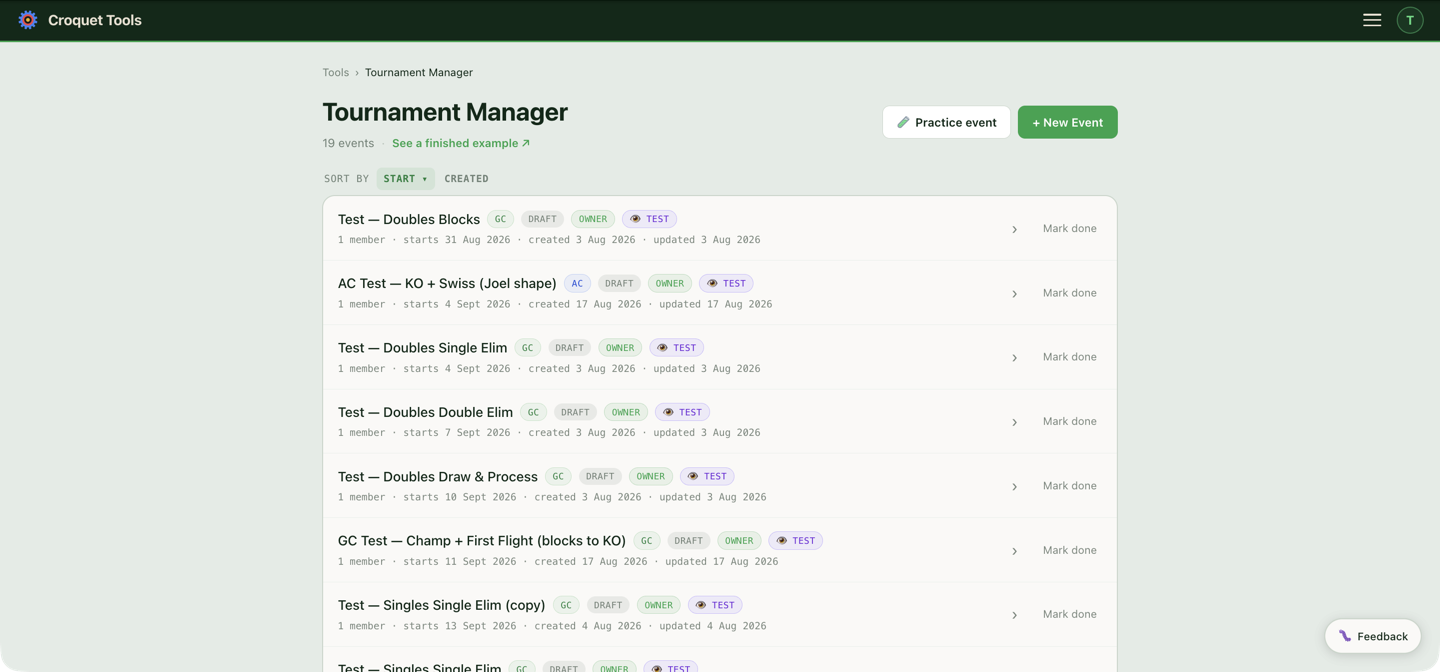
- + New Event — start the guided wizard. See Create an event.
- 🧪 Practice event — the same wizard with safe defaults: it is pre-set as a test event (visible only to you) with dates two weeks out, so you can try everything without anything going public.
- Mark done / Reopen — completed events collapse into their own year-filtered section and stop refreshing dGrades. Everything else stays editable — players, draws, scores and settings — and the public event page is unchanged. Reopen one to refresh its dGrades again.
- Leave — drop off an event someone else invited you to.
- The list is a table: Event, Type, Status, Role, Visibility, Members, Starts, Created and Last edit. Click Event, Starts, Created or Last edit to sort by that column, and click it again to reverse the order. Starts ▾, the default, puts live and upcoming events first, soonest at the top, then past events, most recent at the top; ▴ is plain earliest start first. The other dates start newest first and Event starts A to Z. On a narrow screen the table scrolls sideways.
If this is your first time, make a practice event and click through the whole flow once. It costs nothing and nothing you do in it is visible to anyone else.
Who can do what
Every event has members with one of four roles: owner (the creator — full control), manager (edit everything), scorer (enter scores only), and viewer (read-only). Invites are sent from the Details section. If you open an event with a scorer or viewer role you'll see a blue "Viewing as … — read-only" banner.
Built for a computer
Setup — formats, scheduling, the event page — works best on a laptop or desktop, and the tool will nudge you about this on a phone. Day-of scoring, on the other hand, is built to work well from a phone at the lawn.